 Read the Voice
Your phones, one shared iPad: a family guide to Tandem
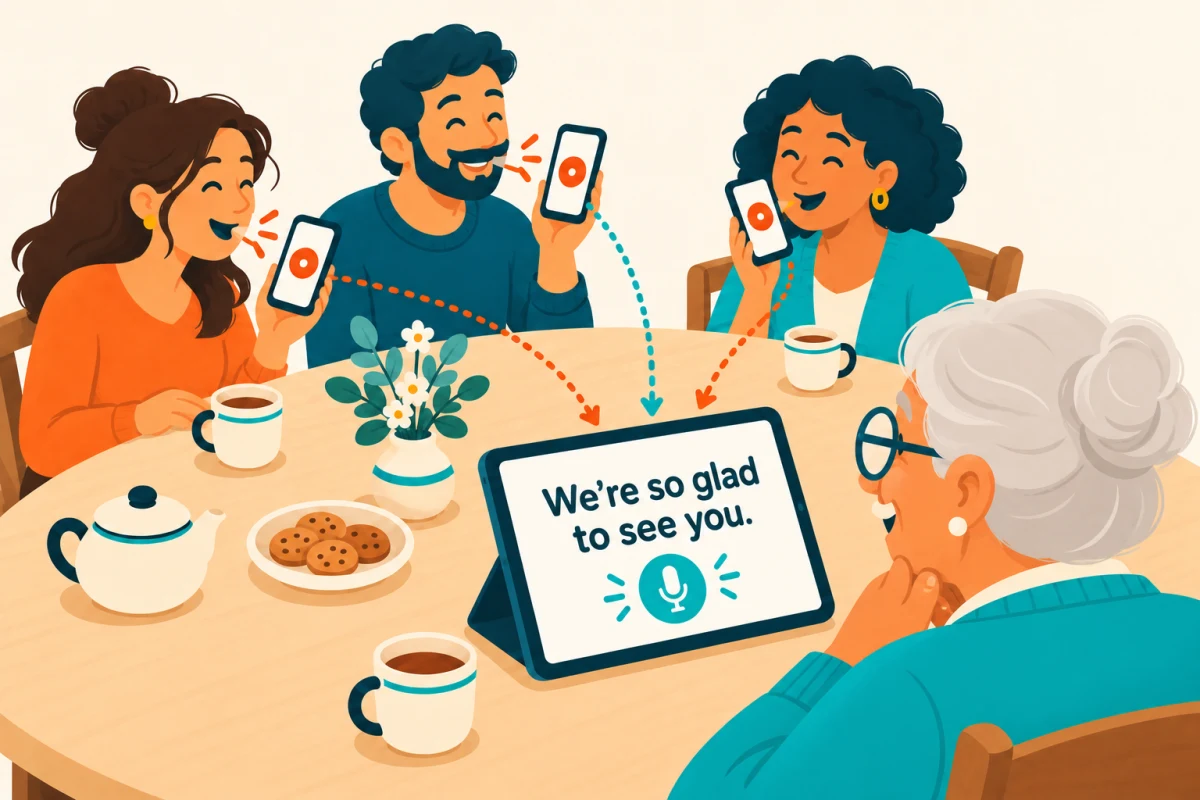
At a family visit, passing one phone from person to person can interrupt the conversation. Tandem in Read the Voice lets family members speak into their own iPhones while the resulting words appear on one shared iPad.
The iPad stays in front of the person reading. Each speaker holds a microphone button, says their sentence, then releases it. The transcription appears after processing, so leave a moment for the reader before taking the next turn.
Set up the shared screen
Open Read the Voice on the iPad, sign in with Apple and check that the account has minutes available. Give the device an easy-to-recognize name, such as “Grandpa’s iPad.” In the connection setup, choose “Display the conversation.”
Keep the app open, with Wi-Fi and Bluetooth enabled. The receiving device also needs internet access to request transcription.
Connect each phone
Install and open Read the Voice on the participating iPhones. Choose “Speak into this phone,” search for the receiving device, select it and request a connection.
On the iPad, approve the new device and follow the pairing instructions shown on screen. Previously authorized devices can reconnect without another approval. This does not mean the apps continuously record or remain connected while closed; keep them open for the conversation.
Who pays for the transcription?
Tandem uses the minutes belonging to the receiving device’s signed-in account. Guests do not need their own accounts or minute packs. They do need the app and authorization to connect.
Recording duration uses minutes, including silence while the microphone is held. Waiting for processing and sharing the result with the paired screen do not add recording time. The minutes guide explains the model.
Make the first conversation easy
Try one phone before connecting everyone. Say “Can you read this comfortably?” and adjust the iPad’s text size with the reader. Then add another family member.
Take turns. Having several microphones does not make overlapping speech easier to follow. Let the reader finish and respond, and check a mistaken word by saying it again.
Is this a remote family call?
No. Tandem is for nearby devices sharing a conversation screen. It does not replace a video call or provide captions for the iPhone Phone app.
For your next visit: set up one iPad and one phone first. Once that feels natural, invite the rest of the family to connect.